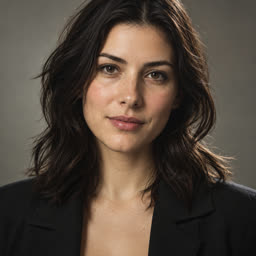
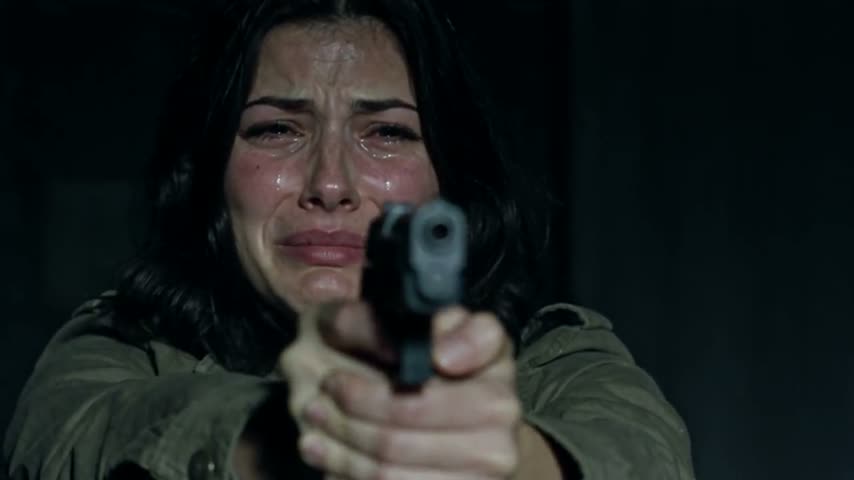
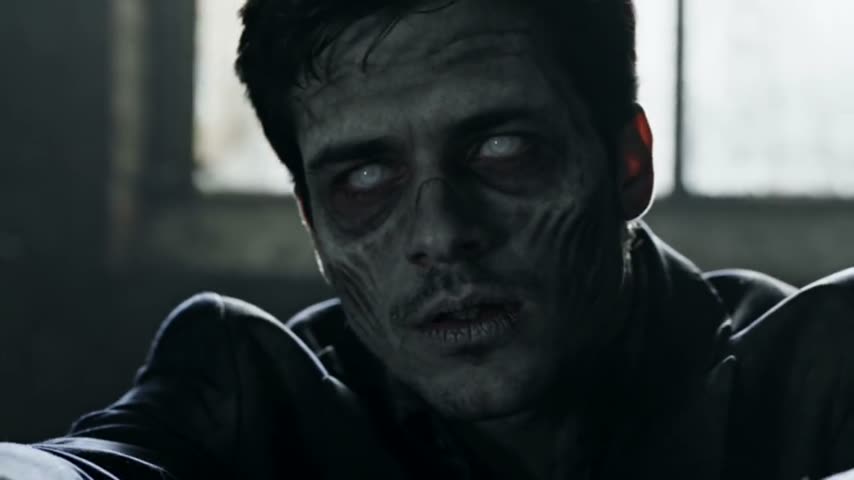
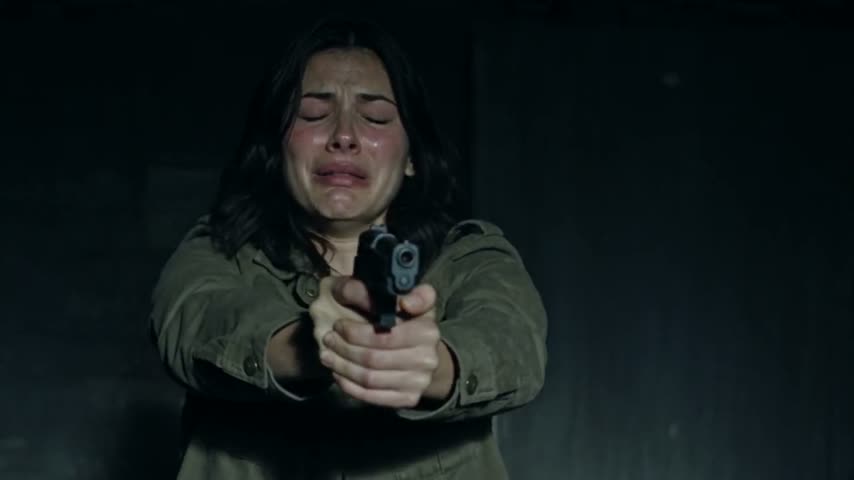
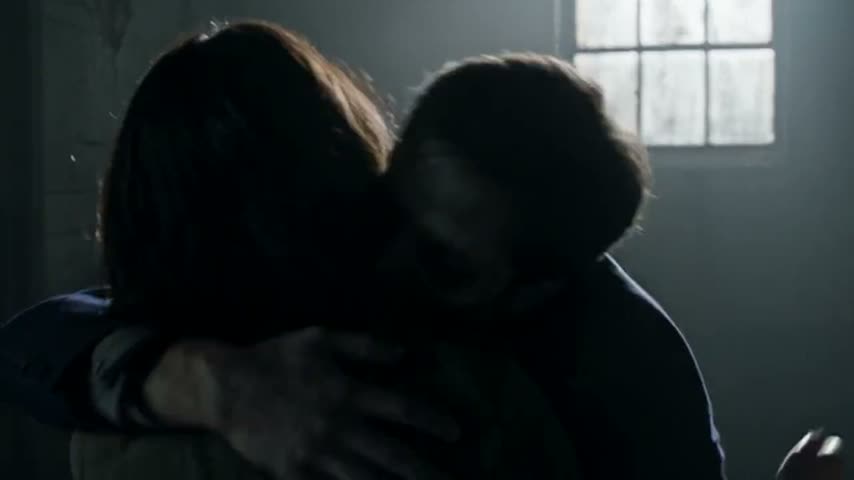
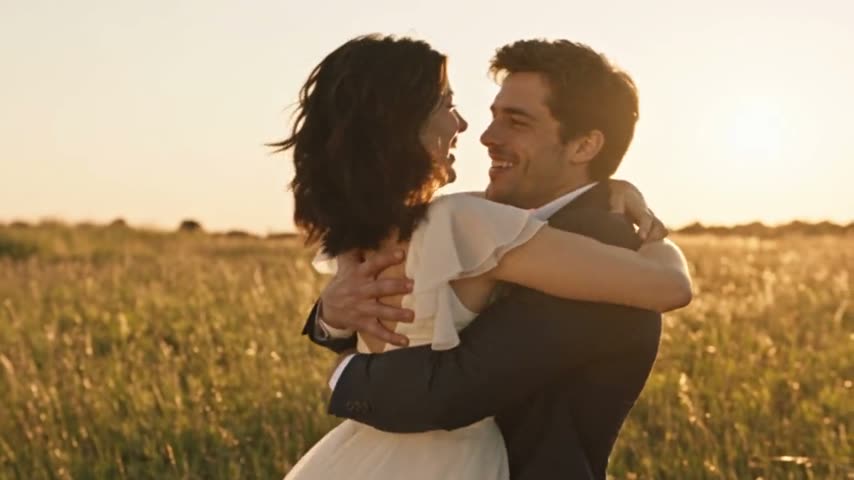
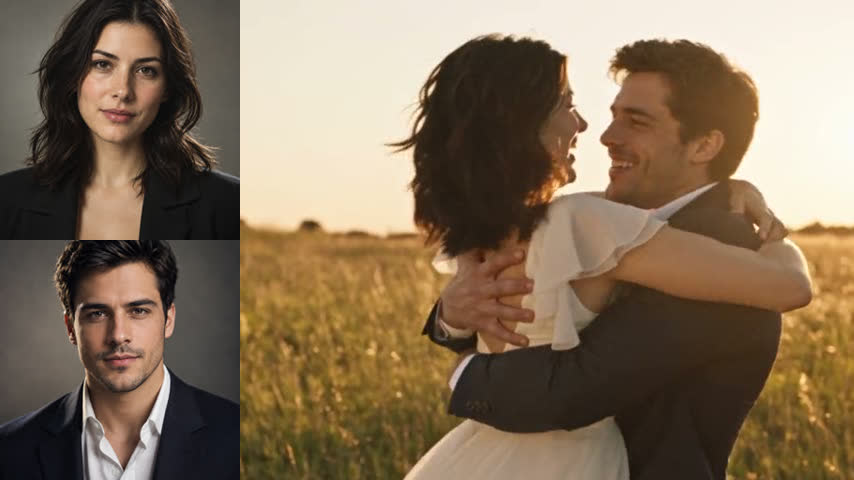
Fictional AI-generated sample made from the two photos beside it.
Your two photos
You — a clear, front-facing photo.
An adult loved one who agreed to appear. One person per photo.
Format
Quality
Price shown before you pay · Failed videos are refunded in full · Photos and videos deleted after 7 days
Zombie AI (zombieai.co) makes the whole AI zombie trend video from two photos: upload one photo of the survivor and one of an adult loved one who turns, then get a 15-second video with sound. From $6.99, no sign-up, no subscription.
0:10 — the cut
What happens in your zombie love story
Every video follows the same five beats as the viral clips — so yours cuts exactly like the ones in your feed.
0-2s
The standoff
A tense, stylized moment with someone you love.
2-4s
The turn
Grey skin, dark eyes, and a zombie look.
4-9s
The hesitation
The survivor freezes. The story holds its breath.
9-10s
The embrace
They rush forward - not to bite, but to hold you.
10-15s
The wheat field
Hard cut to a sunny day together, both of you alive and laughing.
What is the AI zombie trend?
The AI zombie trend — also called the zombie love story or zombie hug — is a short AI-generated video that took off on TikTok and Instagram Reels in late September 2026. In the story, someone you love has turned into a zombie. The survivor hesitates, the zombie comes close, and the scene hard-cuts to a warm memory of the two of you.
Each video is a short story generated by AI from two photos, with a hard cut from a tense standoff to a warm memory. Everyone in your photos must be you or an adult who agreed to appear. No celebrities, public figures, minors or strangers.
Most people make it with a CapCut or Dreamina template, or by pasting a long prompt into a video model like Seedance or Kling. Zombie AI does the whole story for you from two photos — no prompt, no editing.
The format keeps spreading because the setup is simple and the ending is emotional: a cold standoff turns into a warm memory. Creators swap in adult loved ones, then choose a memory scene that feels specific to them.
The strongest versions use clear face photos, a quiet first scene and a final cut that looks personal instead of generic. That is why the zombie love story trend works better as a short custom video than as a one-size-fits-all effect.
One of the survivor and one of the person who turns. Clear, front-facing, good light.
2
Pick the format
The story ends in a golden wheat field memory. Choose 16:9 like the trend, or 9:16 to fill the screen.
3
Pay once, wait, download
Pay once, then wait a few minutes. Your video appears on your order page, ready to download.
Made for you and the people who said yes
Every video is a stylized story built from photos of yourself and an adult who agreed to be in it. Before checkout, every uploaded photo is checked by an automated content-safety system. Every finished video is checked again before delivery.
One person per photo, facing the camera
Even daylight, no sunglasses, masks or heavy filters
Whole head in frame
Adults only. No children, celebrities or public figures.
Zombie AI vs. doing it yourself
CapCut / Dreamina template
Prompt in a video model
Zombie AI
What you do
Download the app, find the template, sign in
Write a long prompt, retry, edit clips together
Upload two photos
Time
Varies - install, find template, sign in
Varies - write, retry, edit
Usually a few minutes
Cost
Free daily credits
Free credits or a monthly plan
From $6.99, once
Memory scene
Fixed by the template
Anything you write
Golden wheat field
Pricing
Pay once. No subscription, no account.
1 video · 480p
$6.99
Standard quality, 15s with sound
Most picked
1 video · 720p HD
$9.99
HD quality, 15s with sound
All plans: failed videos are refunded in full · photos and videos deleted after 7 days.
Videos are generated with ByteDance's Seedance 2.5 model.
Zombie AI FAQ
What's the easiest way to make the zombie love story TikTok?
Upload two photos to Zombie AI and it makes the whole video for you - no app, no prompts, no editing. Pick who turns and download a 15-second AI-generated video ready for TikTok or Reels.
Is there an AI tool that makes the whole zombie love story video for me?
Yes. Zombie AI generates the full story - the standoff, the turn, the embrace and the cut to your memory - from just two photos in a few minutes.
How do I get the best result?
Use one clear, front-facing photo per person, in even daylight. Zombie AI uses both photos as references for the story.
What app is used for the AI zombie trend?
Most tutorials use CapCut or Dreamina templates. Zombie AI generates videos with ByteDance's Seedance 2.5 model, with the whole story already written so you only add photos. Zombie AI is not affiliated with or endorsed by ByteDance.
How much does it cost? Is it free?
$6.99 for a 480p video or $9.99 for 720p HD, paid once. No subscription and no account. If you want to try it yourself for free, CapCut and Dreamina give daily free credits.
How long does it take?
Usually a few minutes. Keep or bookmark your order page - your video appears there when it's ready.
Is the zombie gory?
No. Grey skin and clouded eyes, no blood or wounds. The survivor's gun is never fired - it's a short cinematic story, not a graphic horror clip.
Do I need a prompt to make the zombie love story video?
No. The whole story - the standoff, the turn, the embrace and the cut to a sunny wheat-field memory - is already built into Zombie AI. You only upload two photos and pick a format.
Who turns into the zombie, and can I be the zombie?
Photo 1 is the survivor and Photo 2 is the one who turns. Want to be the zombie? Put your photo in Photo 2, or tap the swap button. Any two adults work - partners, spouses, same-sex couples or best friends, as long as everyone agreed to appear.
Will the people in the video look like us?
Each face is taken from its own photo and kept through the story. For the closest match, use one person per photo, facing the camera, in even daylight, with the whole head in frame. AI can still change small details, so preview your video before sharing.
Does the video have sound? Can I use the TikTok trend audio?
Yes, every video comes with sound. You can also mute it and add the trending sound in TikTok or Instagram before posting.
What happens to my photos?
They're used to make your video and deleted within 7 days. Your video is private by default; if you create a share link, anyone with that link can watch it until you stop sharing or it is deleted after 7 days.
What if my video fails?
Failed videos are refunded in full. Email support@zombieai.co with your order number and we'll process it manually within 2 business days.
Who belongs in your zombie story?
Your partner, your best friend. Two photos and a few minutes.
 Zombie AI